
vs.

Commentblocks: The visual feedback alternative to Superflow

Create shareable links that clients can use to leave feedback on website projects. Instead of confusing email chains, they simply click to pin comments directly on the page. no signup required.

No credit card required · Cancel anytime

Website feedback that works everywhere

Superflow is built for Webflow-first agencies and includes AI-powered copy suggestions. But it requires a browser extension, seat-limited pricing, and only shines on Webflow projects. Commentblocks works on any website — no extension, no platform lock-in, one flat rate.

Why Commentblocks? 

Commentblocks vs Superflow

Works on any website, not just Webflow. No browser extension required. Flat $29/mo vs Superflow's seat-limited plans from $24-$99/mo.

With Commentblocks
No browser extension required
Flat $29/mo — unlimited projects, users, guests
Works on any website (Webflow, WordPress, custom code, etc.)
Simpler client experience — no AI features to confuse non-technical users
Other Competitors
Browser extension required (Chrome/Firefox)
Per-seat pricing: Free ($0, 2 seats), $24-$99/mo depending on tier
Best-in-class Webflow integration; limited beyond Webflow
AI Copilot for copy rewriting, Flock Mode, live huddles for collaboration
FEATURES

Features that make Commentblocks the best client feedback tool

Everything agencies need to collect visual website feedback, streamlined into one simple link. No client signup, no code installation, just clear actionable comments.

Instant setup

Paste a URL and you're ready. No code, no installation, no complexity.

Visual comments

Your clients point at what they mean. No more "the thing on the left.

No signup needed

Clients click the link and start commenting. Zero friction.
Secure Cloud Storage Illustration

Password protection

Keep feedback private. Set a password for sensitive client work.

Product comparison
Commentblocks
Product name
Starting price
$29/mo flat
Free (limited) or $24/mo (Freelancer)
Browser extension
Not required
Not required
Websites supported
Any (Webflow, WordPress, custom, etc.)
Best on Webflow; limited elsewhere
AI features
None
AI Copilot (copy rewriting)
Seat limits
Unlimited team members
2 (Free), 5 (Freelancer/Agency), 10 (Agency Pro)
The Solution

Why choose Commentblocks?

You send your client a single link. They click it, see the live website, and point at exactly what they mean. Their comment is pinned right there. No signup. No confusion. No translation required.
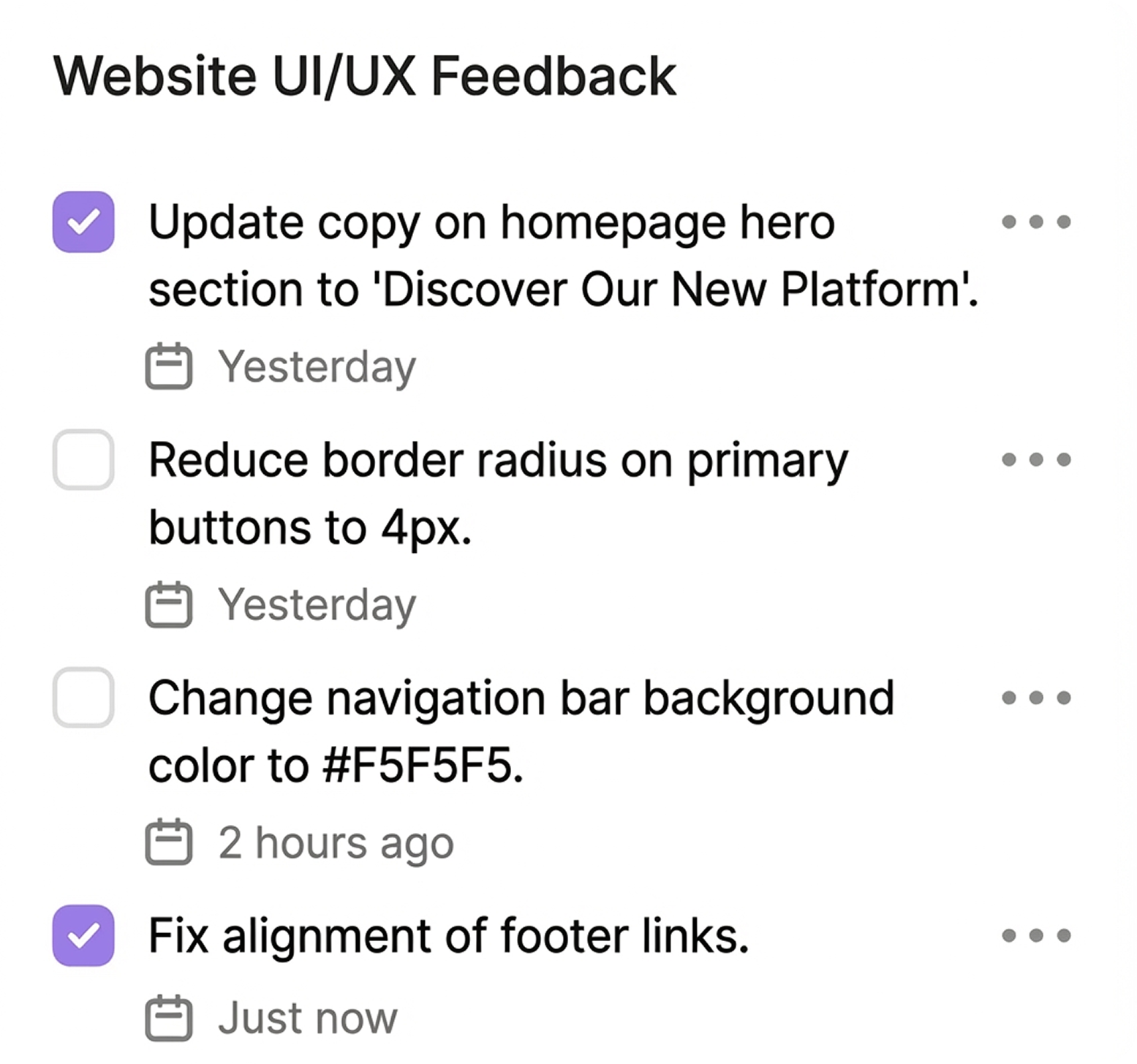
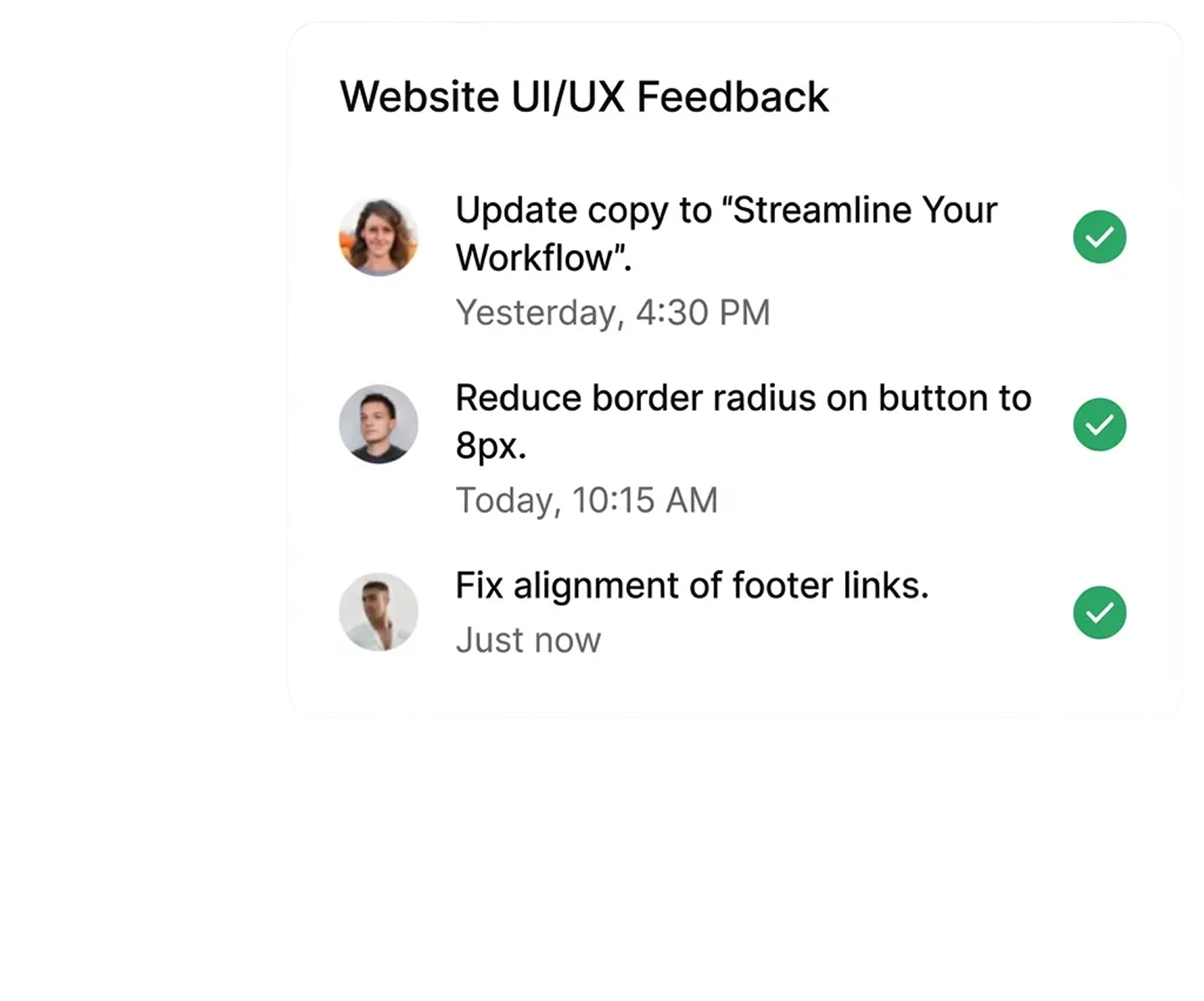
Single Link Sharing
No Client Signup
Point-and-Click
Instant Clarity

"Commentblocks cut our feedback rounds in half. Clients actually understand how to give feedback now."

Sahim M., Project Manager at Agency

“No more 'what did you mean by that?' emails. Game changer for client projects.”

Martin Westervelt, CEO

Bitwise
A man and woman laughing during a discussion.
TESTIMONIAL

What people are saying about commentblocks

"I honestly don't have to guess what 'move that bit up' means anymore. It's just there on the screen. Saves me a headache every morning."

Elena Rodriguez, UX Designer (Madrid, Spain)

"Clients won't use tools that require a login. I've tried. This works because it's just a link I send them on WhatsApp or Slack."

Liam O'Connor, Freelance Developer (Dublin, Ireland)

We used to finish projects late because of the feedback lag. Now we usually wrap up QA a few days early."

Yuki Tanaka, Agency Founder (Tokyo, Japan)

We used to finish projects late because of the feedback lag. Now we usually wrap up QA a few days early."

Yuki Tanaka, Agency Founder (Tokyo, Japan)

"I honestly don't have to guess what 'move that bit up' means anymore. It's just there on the screen. Saves me a headache every morning."

Elena Rodriguez, UX Designer (Madrid, Spain)

"Clients won't use tools that require a login. I've tried. This works because it's just a link I send them on WhatsApp or Slack."

Liam O'Connor, Freelance Developer (Dublin, Ireland)

We used to finish projects late because of the feedback lag. Now we usually wrap up QA a few days early."

Yuki Tanaka, Agency Founder (Tokyo, Japan)

We used to finish projects late because of the feedback lag. Now we usually wrap up QA a few days early."

Yuki Tanaka, Agency Founder (Tokyo, Japan)

"Clients seem to prefer this over our old PDF markups. It feels a lot more professional to comment on the actual live site."

Sophie Dubois, Creative Director (Paris, France)

"Good for async reviews. We don't need a meeting for every single design iteration anymore."

Lars Jensen, Product Manager (Copenhagen, Denmark)

"The auto-captured browser info saves me a back-and-forth email every single time. I know immediately if it's a Safari issue or just them."

Marcus Weber, Tech Lead (Berlin, Germany)

"The auto-captured browser info saves me a back-and-forth email every single time. I know immediately if it's a Safari issue or just them."

Marcus Weber, Tech Lead (Berlin, Germany)

"Clients seem to prefer this over our old PDF markups. It feels a lot more professional to comment on the actual live site."

Sophie Dubois, Creative Director (Paris, France)

"Good for async reviews. We don't need a meeting for every single design iteration anymore."

Lars Jensen, Product Manager (Copenhagen, Denmark)

"The auto-captured browser info saves me a back-and-forth email every single time. I know immediately if it's a Safari issue or just them."

Marcus Weber, Tech Lead (Berlin, Germany)

"The auto-captured browser info saves me a back-and-forth email every single time. I know immediately if it's a Safari issue or just them."

Marcus Weber, Tech Lead (Berlin, Germany)

Essential for keeping 15 projects organized. I'd be lost without the 'resolve' button to keep track of what's actually done."

Isabella Rossi, Operations Director (São Paulo, Brazil)

"It stops feedback from getting lost in Slack threads. My team knows exactly what's left to fix before launch."

Amara Okafor, Digital Project Manager (Lagos, Nigeria)

"Debugging mobile views used to be a pain. Pinning comments on the specific viewport helps us catch responsive issues way faster."

Ravi Patel, Frontend Developer (Mumbai, India)

"Debugging mobile views used to be a pain. Pinning comments on the specific viewport helps us catch responsive issues way faster."

Ravi Patel, Frontend Developer (Mumbai, India)

Essential for keeping 15 projects organized. I'd be lost without the 'resolve' button to keep track of what's actually done."

Isabella Rossi, Operations Director (São Paulo, Brazil)

"It stops feedback from getting lost in Slack threads. My team knows exactly what's left to fix before launch."

Amara Okafor, Digital Project Manager (Lagos, Nigeria)

"Debugging mobile views used to be a pain. Pinning comments on the specific viewport helps us catch responsive issues way faster."

Ravi Patel, Frontend Developer (Mumbai, India)

"Debugging mobile views used to be a pain. Pinning comments on the specific viewport helps us catch responsive issues way faster."

Ravi Patel, Frontend Developer (Mumbai, India)

Hello 👋 I’m Jake from support.

Let me know if you have any questions.

faq

Frequently Asked Questions

Is my website feedback data secure and private ?
Do I need to install code snippets or browser extensions for Commentblocks?
Can I leave visual feedback on mobile or responsive designs?
How is Commentblocks different from other website feedback tools?
Do clients need to be tech-savvy to use Commentblocks?
Get started within Seconds

Ready to collect feedback the right way?

Everything you need to know about using our AI assistant, from setup to security. Still curious? Drop us a message and we’ll get right back to you.
Tick Icon
Free 14-Day Trial
Tick Icon
No Credit Card Requires
Tick Icon
Cancel anytime